


Video Downloader - Private HD
4.8111.00 Reviews
App Specs
- Version
- V1.0.8
- Updated On
- License
- Free
- Downloads
- 1,000,000+
- Developer
- Dakwah Media
- Categories
- Video Players & Editors
- Platform
- Android
Screenshots
 Analysis by AppCompare
I recently got my hands on the Video Downloader - Private HD app, and let me just say, if you’re anything like me and love saving videos for offline viewing, this app might just become your new best friend. Getting into the nitty-gritty details, here's everything you need to know about this handy tool.
Where it fits in my video routine
I see this as a practical choice for someone who wants downloading and playback together rather than a separate downloader plus a separate video player. That combination matters when I’m preparing a few clips before a commute or a trip: I can focus on finding and saving material, then return to it offline without switching between several apps. It is a video player and editor category app, though its clear everyday purpose is video downloading and viewing rather than editing footage.
A realistic use is saving permitted clips while connected to Wi-Fi, then watching them later in a place where reception is patchy. I’d check the file is actually available offline before leaving, especially if I need it for a journey. For a large batch, I’d also leave enough device storage free; a queue can save time, but it cannot make video files take up less space.
Easy Peasy Downloading
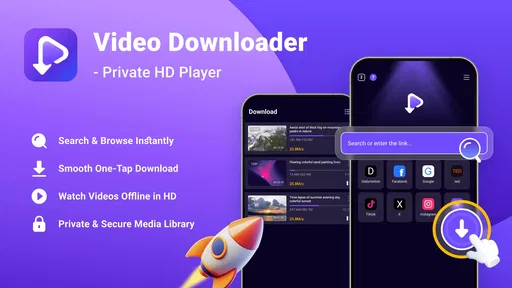
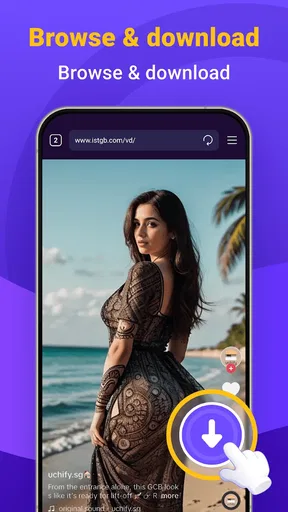
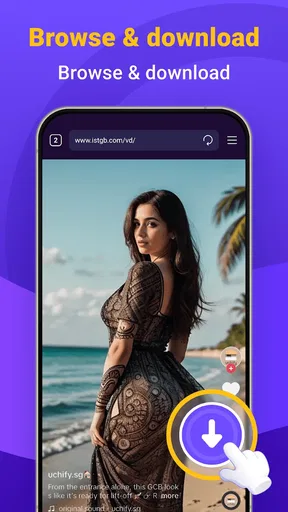
First off, the interface is super intuitive. You know how some apps just make you feel like you need a degree to navigate them? Well, that’s not the case here. As soon as you fire up the app, you’re greeted with a straightforward layout that practically screams simplicity. Finding the videos you want to download is as easy as pie, thanks to the built-in browser. Just browse, click, and download. Seriously, it’s that simple.
The built-in browser is useful because it keeps the discovery-to-download process in one place. I’d still treat it as a convenience, not a guarantee that every website or video can be saved: sites handle media differently, and downloading should respect the creator’s rights and each service’s rules. If a video is blocked or the browser cannot expose a downloadable file, using the original service’s own offline option is usually the better route.
Features That Stand Out
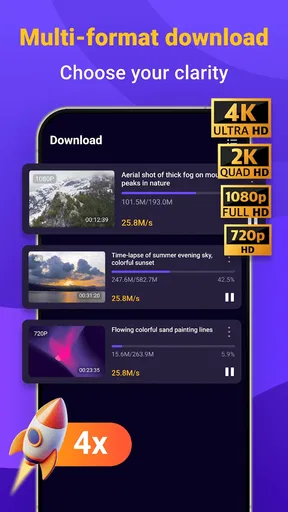
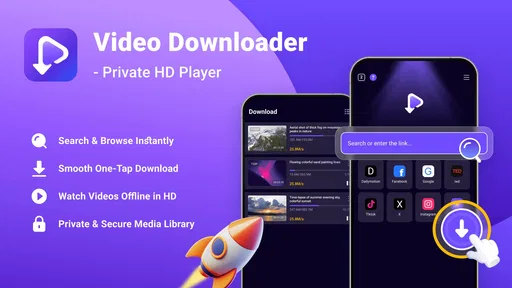
Now, let's talk about the features that really make Video Downloader - Private HD shine. One of my personal favorites is the ability to download in HD. I mean, who doesn’t love watching their favorite clips in crisp, clear quality? Additionally, you can download multiple videos at once. Yep, no more waiting around for one download to finish before starting another—this app's got your back.
For better results, I’d choose HD selectively instead of using it for every clip. It makes sense for footage I’ll watch on a larger screen or keep for repeated viewing; for a quick reference video on a phone, a smaller available option may be easier on storage. Before starting several downloads together, I’d also check that the connection is stable and the device has room. Those small habits help avoid a half-finished collection and make the batch feature more useful in practice.
Worth Reading Before You Choose

EA SPORTS FC Mobile 26 Is a Bigger Football Game, but It Takes Time

Flipboard Shows What News Apps Must Do Beyond the Feed

Switching to Android Auto Means Rethinking Your Driving Routine

Google Calendar Makes a Crowded Week Easier to Manage

Ludo King Makes the Most of the Minutes Between Plans

Baby Panda World Brings Quick Play to Modern Phones, but Its Game Library Feels Busy
Compared with a browser that only saves files, an all-in-one app can be simpler when I want to locate and play a clip in the same place. Compared with a streaming service’s offline mode, it may suit people dealing with their own or otherwise permitted video files, while the service’s app is often preferable for protected subscription content. I wouldn’t choose this tool as a full media library manager or video editor; its appeal is the straightforward download-and-watch workflow.
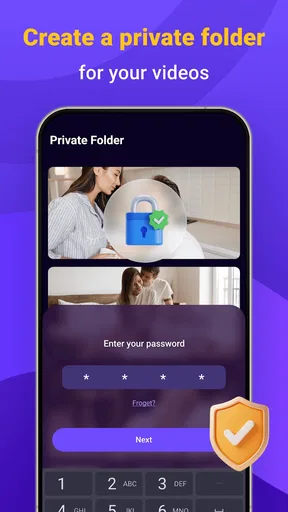
And talk about privacy! The app offers a private folder where you can store all your downloads safely. No more worrying about anyone snooping around your video collection. It’s like a little vault for your eyes only.
I’d use that folder for clips I’d rather keep separate from my ordinary gallery, but I wouldn’t treat the word “private” as a substitute for basic device security. Keep the phone’s screen lock enabled, and be thoughtful about who can access the device itself. If privacy is the main reason you’re considering the app, check how its folder behaves on your own phone before moving anything important into it.
Performance and Speed
Let’s get into performance. I was pleasantly surprised by how fast the downloads were. Even larger files zipped through in no time. It’s like the app has its own little rocket engine. Plus, it hardly uses any background data, so you won’t have to worry about your mobile data taking a hit.
In everyday use, I’d still avoid assuming every download will be equally quick. The source, file size, and connection all affect the wait, so a slow transfer does not automatically mean the app is at fault. If something stalls, I’d check the network first, then retry one file rather than launching a larger batch. That makes it easier to spot whether the problem is a single source or the connection as a whole.
A sensible fit for some viewers
This is most appealing to people who regularly save videos they’re allowed to keep, prefer a simple built-in browser, and want a private place to organize viewing away from a connection. It may also suit someone who shares a phone and wants a separate area for personal clips, provided they understand the limits of app-level privacy.
I’d skip it if I mainly watch subscription content that already has an official offline mode, need advanced editing tools, or expect every site to offer downloadable files. In those cases, the service’s own app or a dedicated editor is a better match. The useful question is not whether one downloader replaces every video app, but whether this particular browse, save, and play routine matches what I actually do.
What the current release tells me
Dakwah Media’s app is free, rated for Everyone, and currently at version V1.0.3; it was released on Sep 23, 2025. That makes this a relatively early release to judge, rather than a long-established product whose direction is already clear. Its current appeal is the focused combination of a built-in browser, HD downloads, simultaneous transfers, playback, and a private folder.
The wider response is encouraging but not a guarantee of fit: it has a 4.6 average from around 1.6 thousand ratings, with over 500 thousand installs. Those figures suggest plenty of people have tried it, while individual results can still depend on the sites and files they use. The minimum operating system is Android 7.0, so I’d check compatibility before planning to make it part of an older phone’s routine.
For someone already using it, the practical effect of the current version is best judged by whether the core workflow remains dependable on their device: can they find an allowed clip, save it, and play it back when offline? I’d keep important originals elsewhere too, rather than relying on one app as the only home for valuable files. That is a sensible habit for any downloader, especially when a product is still early in its release life.
Remaining trade-offs and what I’d watch
The biggest limitation is not a complicated interface but the uncertainty that comes with downloading from different sources. A built-in browser can streamline the process, yet it cannot make every site compatible or override access restrictions. HD is welcome, but larger files can quickly use storage; simultaneous downloads are convenient, though starting too many at once may be less helpful on a weak connection. These are reasons to use the app selectively, not deal-breakers for someone with a clear use case.
Before relying on it for a trip, I’d test one short video, confirm it plays with connectivity turned off, and check where the saved copy appears. That simple check answers the practical questions that matter most: whether the source works, whether playback is available offline, and whether the private folder suits the way I want to organize files. I’d also keep the app current through the usual update route and pay attention to how it behaves as newer releases arrive; version numbers alone do not tell me what has changed.
Wrapping It Up
So, all in all, what’s the verdict? Video Downloader - Private HD does exactly what it promises, and it does it well. If you’re always on the hunt for an efficient way to save videos for offline enjoyment, this app is worth a shot. It’s straightforward, fast, and keeps your downloads private. What more could you ask for?
Give it a try and see how it fits into your video-saving routine. You might just find yourself recommending it to friends who are in the same boat. Happy downloading!
Pros
- User-friendly interface for easy navigation.
- Supports multiple video formats.
- Fast download speeds with no lag.
- Allows batch downloading of videos.
- Compatible with popular social media sites.
Cons
- Contains frequent ads during use.
- Limited features in the free version.
- Requires internet connection for use.
- No built-in video editing tools.
- Some downloads may fail unexpectedly.
FAQs for Video Downloader - Private HD
What is Video Downloader - Private HD, and how does it work?
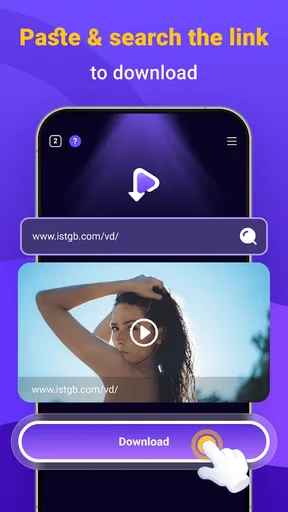
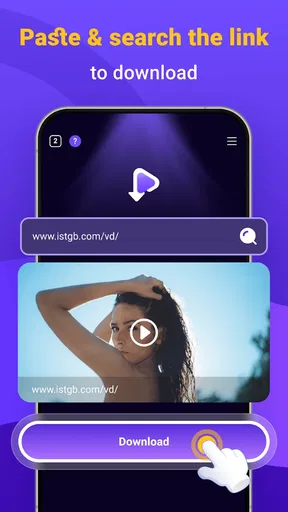
Video Downloader - Private HD is an app designed to help users download videos from various online platforms directly to their devices. It supports high-definition videos and allows for easy management of downloaded content. Users can simply paste video URLs into the app to initiate downloads, making it a convenient tool for offline viewing.
Is Video Downloader - Private HD safe to use?
Yes, Video Downloader - Private HD is safe to use as long as it is downloaded from a reputable source, such as the Google Play Store or Apple App Store. The app does not contain malware, and it respects user privacy by not sharing data without consent. Always ensure your device's antivirus software is up-to-date for additional security.
Can Video Downloader - Private HD download videos from all websites?
While Video Downloader - Private HD supports numerous popular video platforms, it may not be compatible with all websites due to restrictions imposed by certain sites. Always check the app's compatibility list before attempting to download content. Some websites may have terms of use that prohibit downloading, so it's important to respect these guidelines.
Does Video Downloader - Private HD support HD and 4K video downloads?
Yes, Video Downloader - Private HD supports high-definition downloads, including HD and 4K resolutions, where available. This ensures that users can enjoy videos in the best possible quality. The availability of HD and 4K downloads depends on the original video's quality on the source platform.
Are there any costs associated with using Video Downloader - Private HD?
Video Downloader - Private HD is generally free to download and use. However, it may offer in-app purchases or a premium version to unlock additional features, such as ad-free experiences or faster download speeds. Users can choose whether to upgrade based on their preferences and usage needs.


